printer test page
Free Printer Test Page - A4 & US Letter
Download the standardized sheet in your paper size, print it at Actual Size, then inspect it visually or photograph it for the browser analyzer.
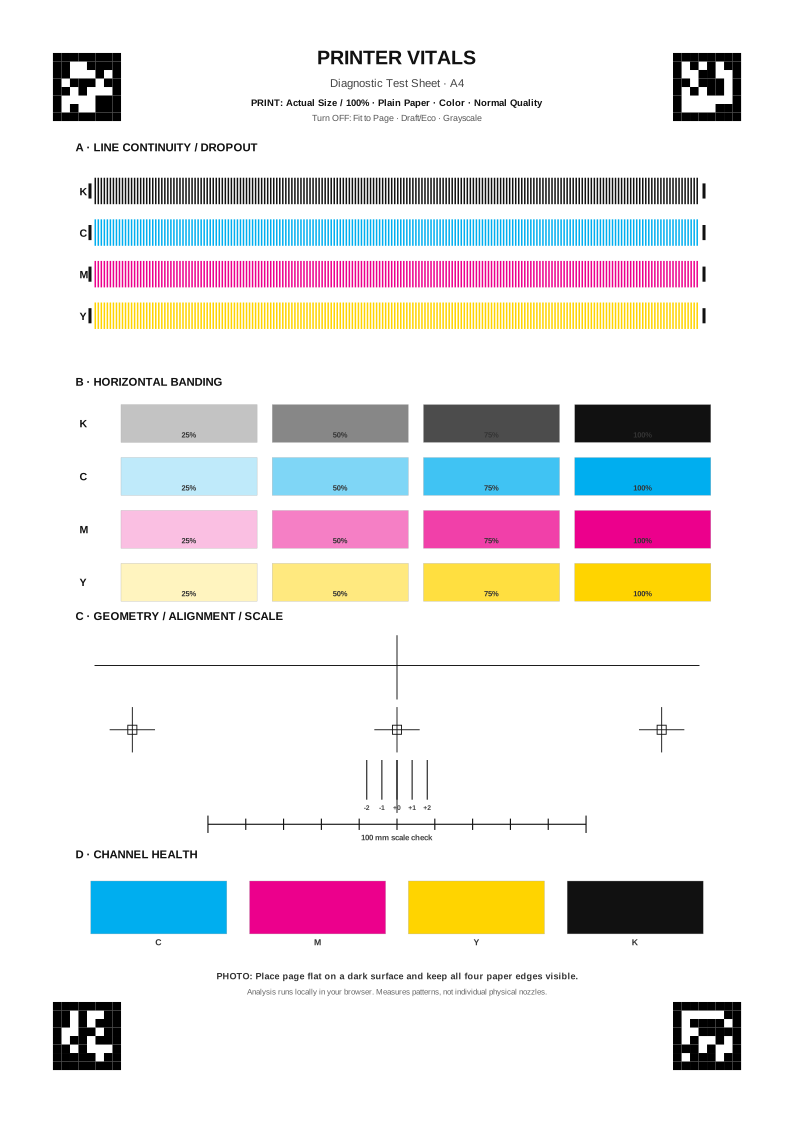
What makes this different from a random test image?
The analyzer knows the physical layout of this sheet. Each CMYK line row contains 200 controlled elements, the banding area uses 25%, 50%, 75% and 100% tone fields, and the geometry area contains a 100 mm scale reference. Those dimensions come from the template data used by the analyzer itself.
Print the baseline correctly
- Open the PDF that matches your paper: A4 or US Letter.
- Select 100% / Actual Size. Disable Fit to Page or other scaling.
- Use Color, Plain Paper and Normal/Standard quality for the baseline.
- Keep the settings unchanged when you later compare a maintenance retest.
Do not diagnose from a scaled print. The geometry check can flag likely scaling, but a clean baseline starts with print-dialog scaling disabled.
After printing
For a visual check, look for missing line elements, repeated horizontal density changes, visibly weak color fields or obvious geometric distortion. For measured results, place the complete sheet on a dark surface, keep all four paper edges visible and upload one sharp photo.